How to Insert a Currency Switcher Into the Site Menu
A menu has no room for a full-size switcher. Build a compact currency switcher in Smart Designer, note its ID, and place that.
You should insert there not big drop-down. You can create currency drop-down in Smart Designer and set there smaller size elements (fonts, heights). Then install plugin 'Shortcode in Menus' and place there SD shortcode: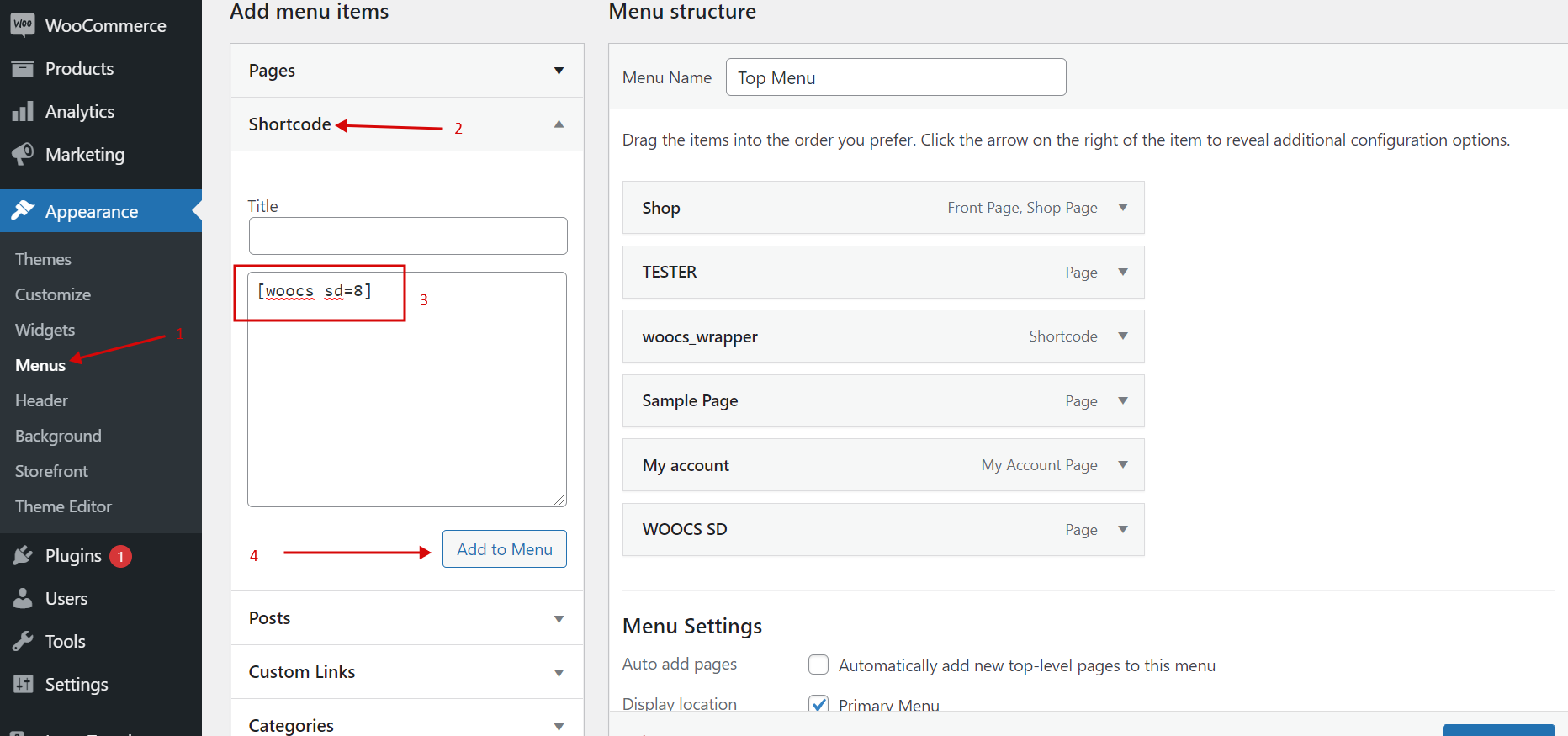 Result will looks as shown on the next image:
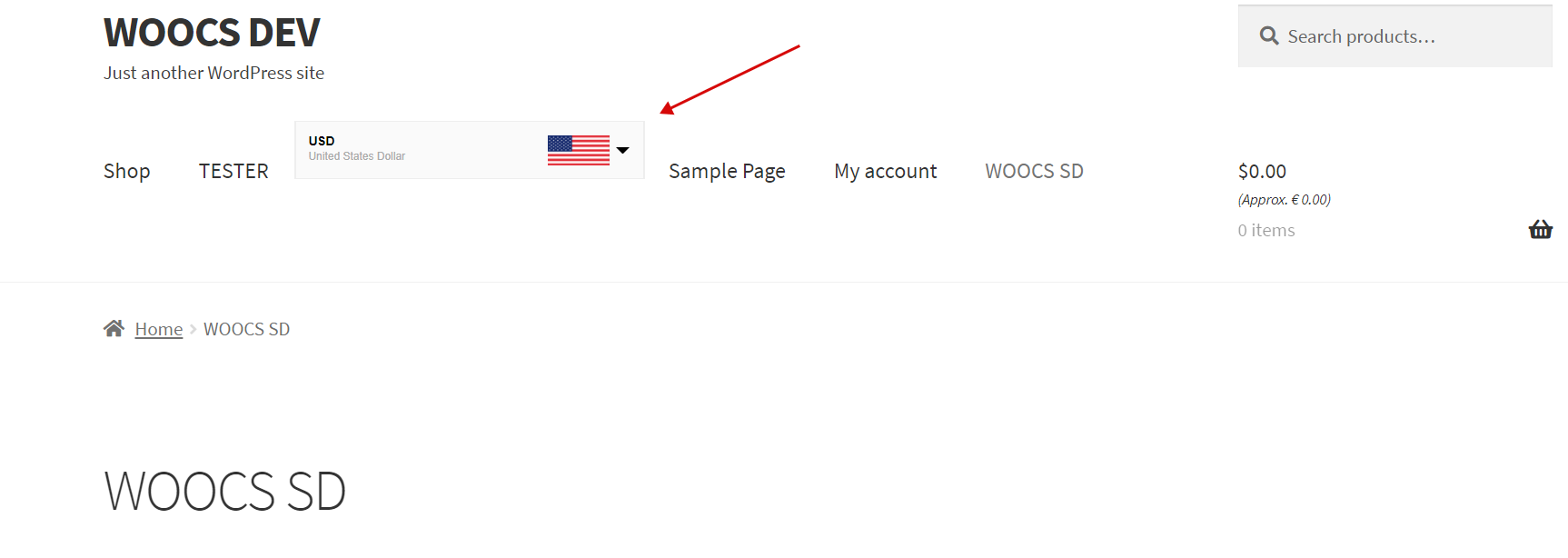 To get more attractive variant use 'scale' option!
- create new shortcode in Smart Designer
- set 'scale' option there, for example 0.5
- open file functions.php of your current WordPress theme and place there next code:
add_shortcode('woocs_menu_sw', function($args) { ob_start(); ?> <div style=" position: relative; top: 34px; margin-right: calc(500px * -0.5); "><?php echo do_shortcode('[woocs sd=9]') ?></div> <?php return ob_get_clean(); }); - place shortcode [woocs_menu_sw] into main menu how described on the beginning of this article
- margin-right: 500px is width of the drop-down set in Smart Designer, 0.5 is 'scale' option what set there
- top: play with this value, but approximately for scale 0.5 it is 34px
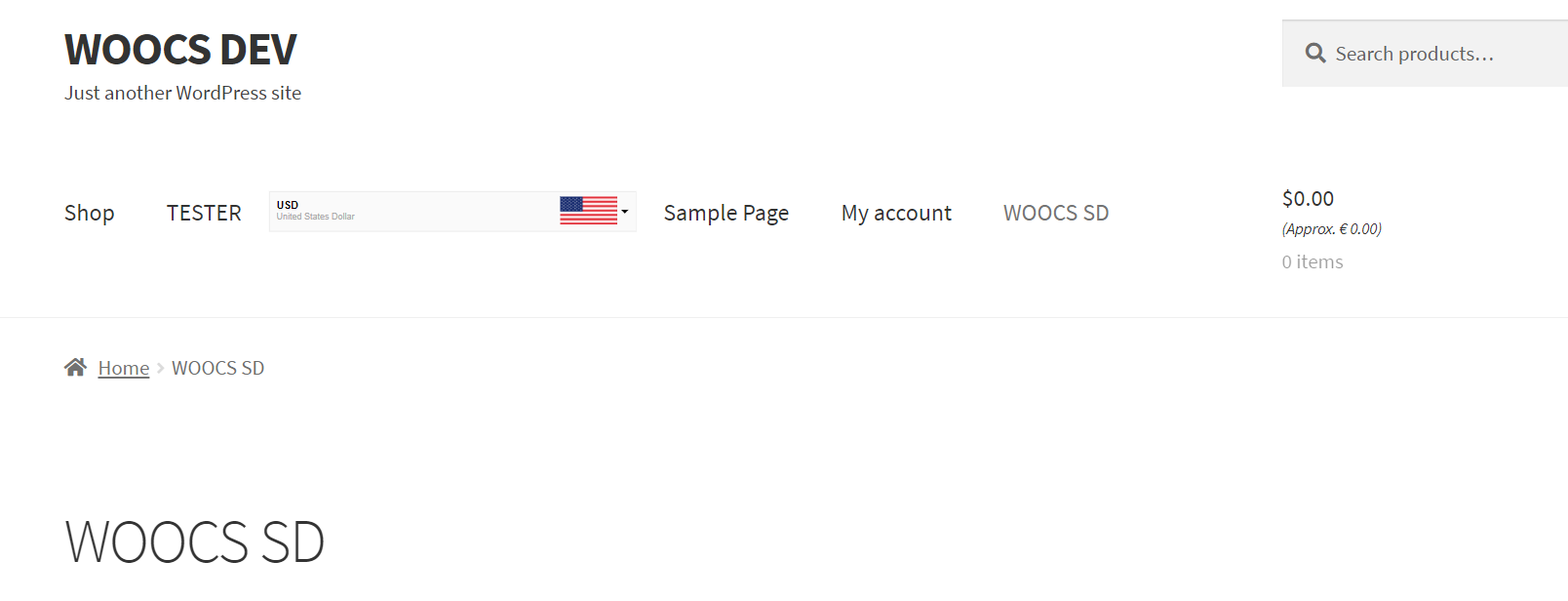 See demo site menu (width is 340px, scale 0.5). As you can see result using scale option is more accurate.