Accueil
›
COMPATIBILITY
›
TeraWallet – Pour WooCommerce
TeraWallet – Pour WooCommerce
URL du plugin : https://wordpress.org/plugins/woo-wallet/
à votre thème enfant WordPress actuel, dans le fichier functions.php , ajoutez le code suivant :
add_filter('woo_wallet_current_balance', function ($balance, $user_id) {
    if (class_exists('WOOCS')) {
        global $WOOCS;

        $balance = $WOOCS->woocs_exchange_value($balance);
    }

    return $balance;
}, 10, 2);

add_filter('woo_wallet_amount', function ($amount, $currency, $user_id) {
    if (class_exists('WOOCS')) {
        global $WOOCS;

        $amount = $WOOCS->woocs_exchange_value($amount);
    }

    return $amount;
}, 10, 3);
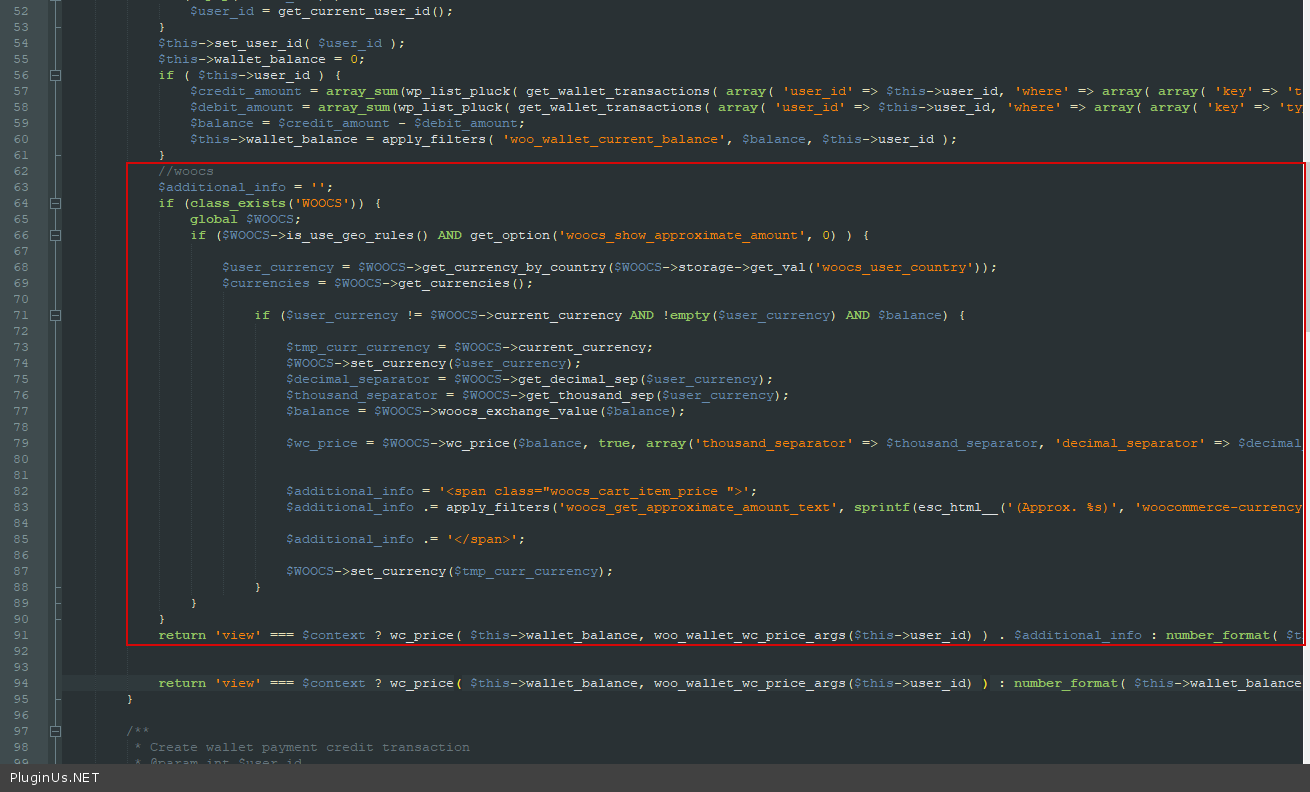
Dans le fichier \wp-content\plugins\woo-wallet\includes\class-woo-wallet-wallet.php, ajoutez le code suivant :
//woocs
$additional_info = '';
if (class_exists('WOOCS')) {
    global $WOOCS;
    if ($WOOCS->is_use_geo_rules() AND get_option('woocs_show_approximate_amount', 0)) {

        $user_currency = $WOOCS->get_currency_by_country($WOOCS->storage->get_val('woocs_user_country'));
        $currencies = $WOOCS->get_currencies();

        if ($user_currency != $WOOCS->current_currency AND!empty($user_currency) AND $balance) {

            $tmp_curr_currency = $WOOCS->current_currency;
            $WOOCS->set_currency($user_currency);
            $decimal_separator = $WOOCS->get_decimal_sep($user_currency);
            $thousand_separator = $WOOCS->get_thousand_sep($user_currency);
            $balance = $WOOCS->woocs_exchange_value($balance);

            $wc_price = $WOOCS->wc_price($balance, true, array(‘thousand_separator’ => $thousand_separator, 'decimal_separator' => $decimal_separator, 'decimals' => $WOOCS->get_currency_price_num_decimals($user_currency, $WOOCS->price_num_decimals)));

            $additional_info = '<span class="woocs_cart_item_price">';
            $additional_info .= apply_filters('woocs_get_approximate_amount_text', sprintf(esc_html__('(Approx. %s)', 'woocommerce-currency-switcher'), $wc_price), $wc_price);

            $additional_info .= '</span>';

            $WOOCS->set_currency($tmp_curr_currency);
        }
    }
}
return 'view' === $context ? wc_price($this->wallet_balance, woo_wallet_wc_price_args($this->user_id)) . $additional_info : number_format($this->wallet_balance, wc_get_price_decimals(), '.', '');
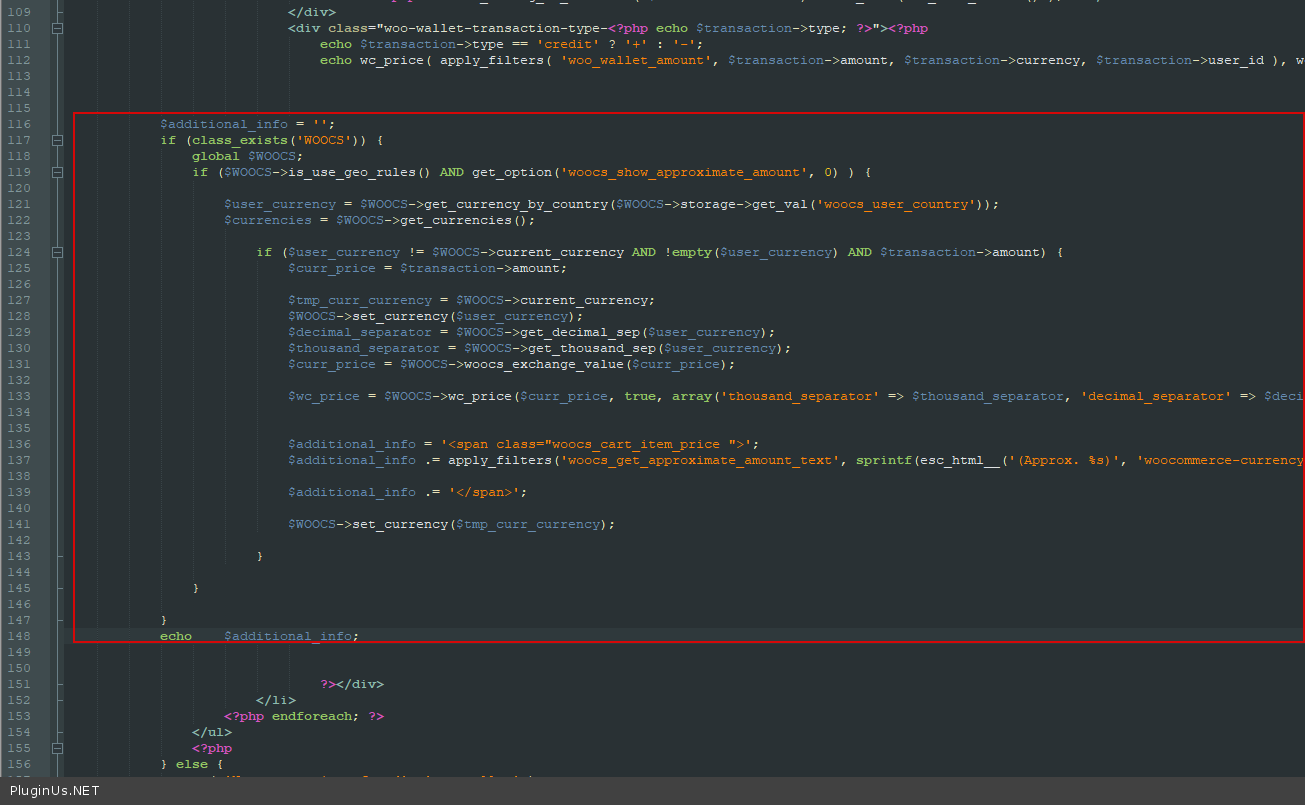
Dans le fichier wp-content\plugins\woo-wallet\templates\wc-endpoint-wallet.php, ajoutez le code suivant :
$additional_info = '';
if (class_exists('WOOCS')) {
    global $WOOCS;
    if ($WOOCS->is_use_geo_rules() AND get_option('woocs_show_approximate_amount', 0)) {

        $user_currency = $WOOCS->get_currency_by_country($WOOCS->storage->get_val('woocs_user_country'));
        $currencies = $WOOCS->get_currencies();

        if ($user_currency != $WOOCS->current_currency AND!empty($user_currency) AND $transaction->amount) {
            $curr_price = $transaction->amount;

            $tmp_curr_currency = $WOOCS->current_currency;
            $WOOCS->set_currency($user_currency);
            $decimal_separator = $WOOCS->get_decimal_sep($user_currency);
            $thousand_separator = $WOOCS->get_thousand_sep($user_currency);
            $curr_price = $WOOCS->woocs_exchange_value($curr_price);

            $wc_price = $WOOCS->wc_price($curr_price, true, array('thousand_separator' => $thousand_separator, 'decimal_separator' => $decimal_separator, 'decimals' => $WOOCS->get_currency_price_num_decimals($user_currency, $WOOCS->price_num_decimals)));

            $additional_info = '<span class = "woocs_cart_item_price">';
            $additional_info .= apply_filters('woocs_get_approximate_amount_text', sprintf(esc_html__('(Approx. %s)', 'woocommerce-currency-switcher'), $wc_price), $wc_price);

            $additional_info .= '</span>';

            $WOOCS->set_currency($tmp_curr_currency);
        }
    }
}
echo $additional_info;
← Table Rate Shipping plugin
Themify – Filtre de produits WooCommerce →
🌸
Référence des shortcodes, fonctions, actions et filtres de FOX WooCommerce Currency Switcher
Codex — FOX Currency Switcher
J'ai compris
Nous utilisons des cookies pour vous offrir la meilleure expérience possible sur notre site. Si vous continuez à utiliser ce site, nous considérerons que vous l'acceptez.