Home
›
COMPATIBILITY
›
TeraWallet – For WooCommerce
TeraWallet – For WooCommerce
Plugin URL : https://wordpress.org/plugins/woo-wallet/
to your current child wp theme file functions.php add next code:
add_filter('woo_wallet_current_balance', function ($balance, $user_id) {
    if (class_exists('WOOCS')) {
        global $WOOCS;

        $balance = $WOOCS->woocs_exchange_value($balance);
    }

    return $balance;
}, 10, 2);

add_filter('woo_wallet_amount', function ($amount, $currency, $user_id) {
    if (class_exists('WOOCS')) {
        global $WOOCS;

        $amount = $WOOCS->woocs_exchange_value($amount);
    }

    return $amount;
}, 10, 3);
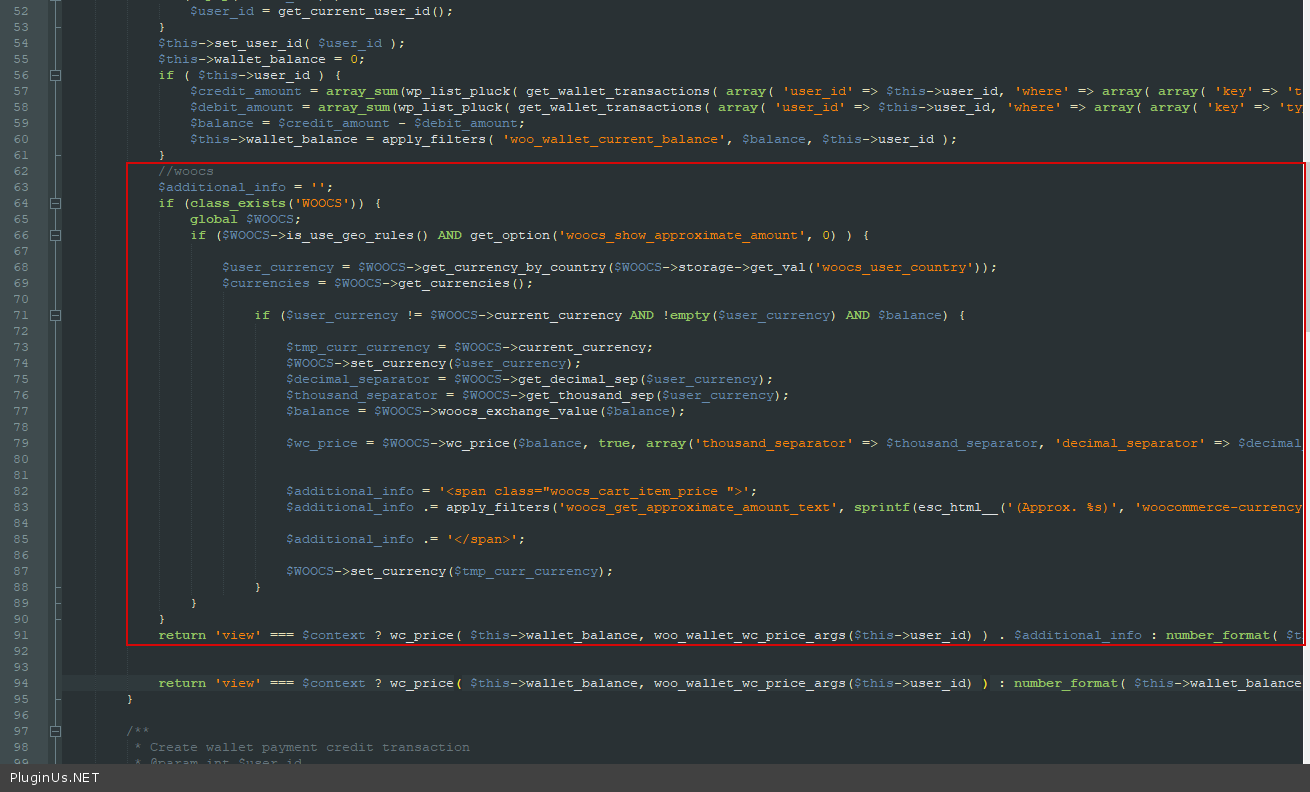
In file \wp-content\plugins\woo-wallet\includes\class-woo-wallet-wallet.php add next code:
//woocs
$additional_info = '';
if (class_exists('WOOCS')) {
    global $WOOCS;
    if ($WOOCS->is_use_geo_rules() AND get_option('woocs_show_approximate_amount', 0)) {

        $user_currency = $WOOCS->get_currency_by_country($WOOCS->storage->get_val('woocs_user_country'));
        $currencies = $WOOCS->get_currencies();

        if ($user_currency != $WOOCS->current_currency AND!empty($user_currency) AND $balance) {

            $tmp_curr_currency = $WOOCS->current_currency;
            $WOOCS->set_currency($user_currency);
            $decimal_separator = $WOOCS->get_decimal_sep($user_currency);
            $thousand_separator = $WOOCS->get_thousand_sep($user_currency);
            $balance = $WOOCS->woocs_exchange_value($balance);

            $wc_price = $WOOCS->wc_price($balance, true, array(‘thousand_separator’ => $thousand_separator, 'decimal_separator' => $decimal_separator, 'decimals' => $WOOCS->get_currency_price_num_decimals($user_currency, $WOOCS->price_num_decimals)));

            $additional_info = '<span class="woocs_cart_item_price">';
            $additional_info .= apply_filters('woocs_get_approximate_amount_text', sprintf(esc_html__('(Approx. %s)', 'woocommerce-currency-switcher'), $wc_price), $wc_price);

            $additional_info .= '</span>';

            $WOOCS->set_currency($tmp_curr_currency);
        }
    }
}
return 'view' === $context ? wc_price($this->wallet_balance, woo_wallet_wc_price_args($this->user_id)) . $additional_info : number_format($this->wallet_balance, wc_get_price_decimals(), '.', '');
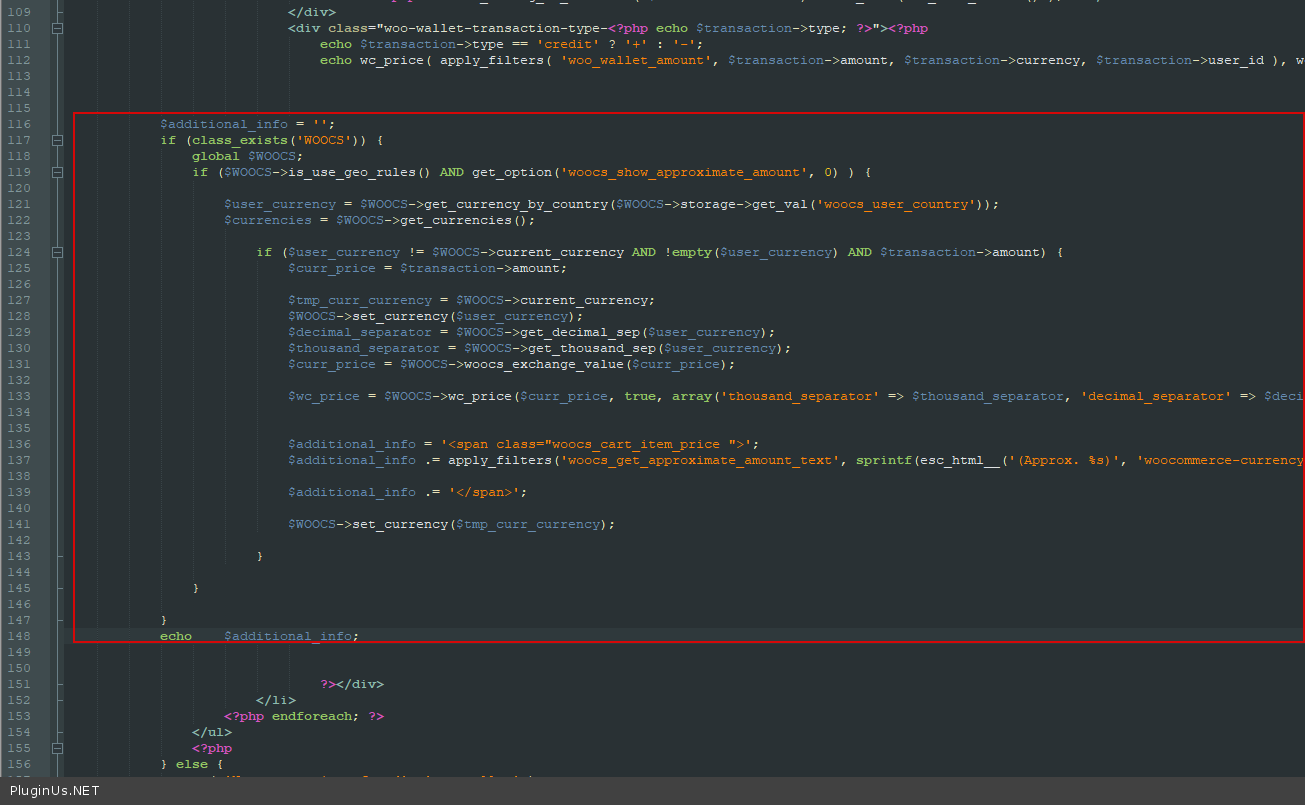
In file wp-content\plugins\woo-wallet\templates\wc-endpoint-wallet.php add next code:
$additional_info = '';
if (class_exists('WOOCS')) {
    global $WOOCS;
    if ($WOOCS->is_use_geo_rules() AND get_option('woocs_show_approximate_amount', 0)) {

        $user_currency = $WOOCS->get_currency_by_country($WOOCS->storage->get_val('woocs_user_country'));
        $currencies = $WOOCS->get_currencies();

        if ($user_currency != $WOOCS->current_currency AND!empty($user_currency) AND $transaction->amount) {
            $curr_price = $transaction->amount;

            $tmp_curr_currency = $WOOCS->current_currency;
            $WOOCS->set_currency($user_currency);
            $decimal_separator = $WOOCS->get_decimal_sep($user_currency);
            $thousand_separator = $WOOCS->get_thousand_sep($user_currency);
            $curr_price = $WOOCS->woocs_exchange_value($curr_price);

            $wc_price = $WOOCS->wc_price($curr_price, true, array('thousand_separator' => $thousand_separator, 'decimal_separator' => $decimal_separator, 'decimals' => $WOOCS->get_currency_price_num_decimals($user_currency, $WOOCS->price_num_decimals)));

            $additional_info = '<span class = "woocs_cart_item_price">';
            $additional_info .= apply_filters('woocs_get_approximate_amount_text', sprintf(esc_html__('(Approx. %s)', 'woocommerce-currency-switcher'), $wc_price), $wc_price);

            $additional_info .= '</span>';

            $WOOCS->set_currency($tmp_curr_currency);
        }
    }
}
echo $additional_info;
← Table Rate Shipping plugin
Themify – WooCommerce Product Filter →
🌸
Shortcodes, functions, actions and filters reference for FOX WooCommerce Currency Switcher
Codex — FOX Currency Switcher
Got it
We use cookies to ensure that we give you the best experience on our website. If you continue to use this site we will assume that you are happy with it.