Startseite
›
COMPATIBILITY
›
TeraWallet – Für WooCommerce
TeraWallet – Für WooCommerce
Plugin-URL : https://wordpress.org/plugins/woo-wallet/
Fügen Sie Ihrer aktuellen Child-Theme -Datei functions.php den folgenden Code hinzu:
add_filter('woo_wallet_current_balance', function ($balance, $user_id) {
    if (class_exists('WOOCS')) {
        global $WOOCS;

        $balance = $WOOCS->woocs_exchange_value($balance);
    }

    return $balance;
}, 10, 2);

add_filter('woo_wallet_amount', function ($amount, $currency, $user_id) {
    if (class_exists('WOOCS')) {
        global $WOOCS;

        $amount = $WOOCS->woocs_exchange_value($amount);
    }

    return $amount;
}, 10, 3);
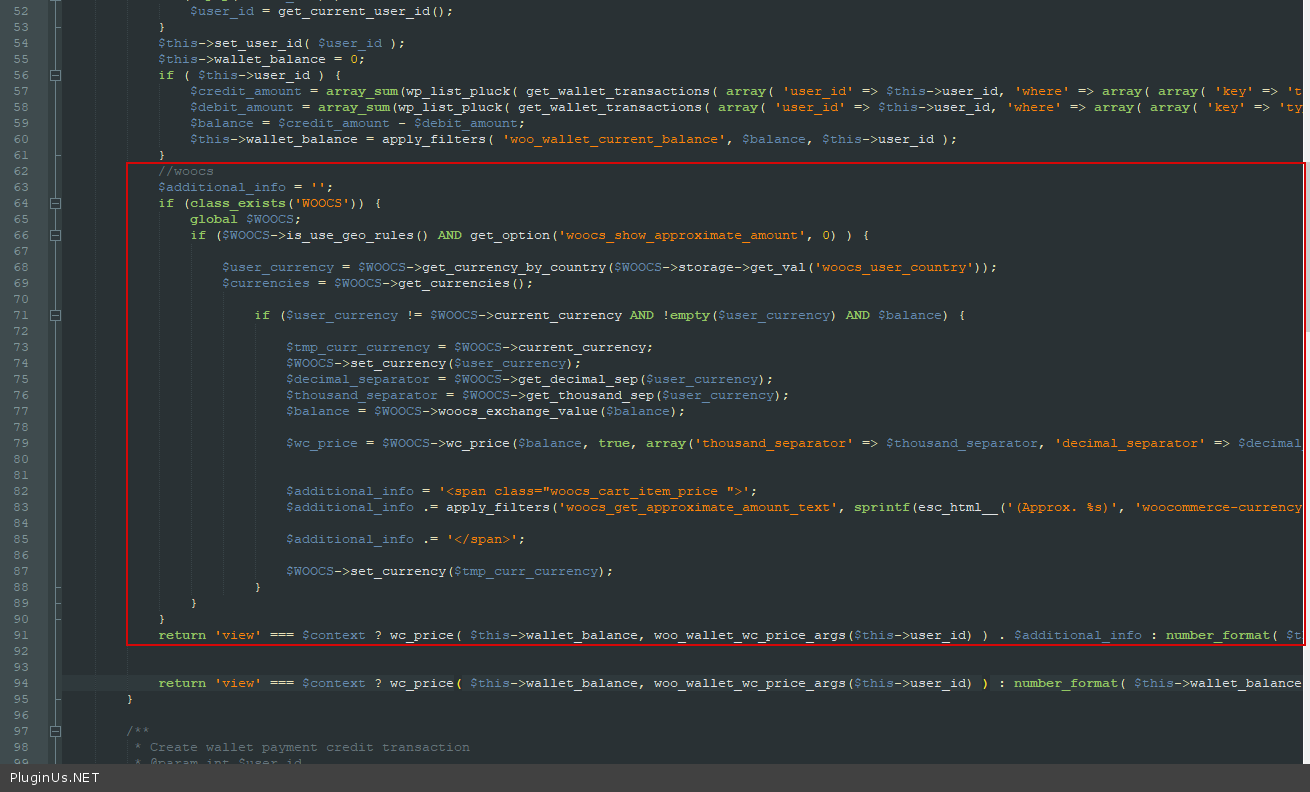
Fügen Sie in der Datei \wp-content\plugins\woo-wallet\includes\class-woo-wallet-wallet.php den folgenden Code hinzu:
//woocs
$additional_info = '';
if (class_exists('WOOCS')) {
    global $WOOCS;
    if ($WOOCS->is_use_geo_rules() AND get_option('woocs_show_approximate_amount', 0)) {

        $user_currency = $WOOCS->get_currency_by_country($WOOCS->storage->get_val('woocs_user_country'));
        $currencies = $WOOCS->get_currencies();

        if ($user_currency != $WOOCS->current_currency AND!empty($user_currency) AND $balance) {

            $tmp_curr_currency = $WOOCS->current_currency;
            $WOOCS->set_currency($user_currency);
            $decimal_separator = $WOOCS->get_decimal_sep($user_currency);
            $thousand_separator = $WOOCS->get_thousand_sep($user_currency);
            $balance = $WOOCS->woocs_exchange_value($balance);

            $wc_price = $WOOCS->wc_price($balance, true, array(‘thousand_separator’ => $thousand_separator, 'decimal_separator' => $decimal_separator, 'decimals' => $WOOCS->get_currency_price_num_decimals($user_currency, $WOOCS->price_num_decimals)));

            $additional_info = '<span class="woocs_cart_item_price">';
            $additional_info .= apply_filters('woocs_get_approximate_amount_text', sprintf(esc_html__('(Approx. %s)', 'woocommerce-currency-switcher'), $wc_price), $wc_price);

            $additional_info .= '</span>';

            $WOOCS->set_currency($tmp_curr_currency);
        }
    }
}
return 'view' === $context ? wc_price($this->wallet_balance, woo_wallet_wc_price_args($this->user_id)) . $additional_info : number_format($this->wallet_balance, wc_get_price_decimals(), '.', '');
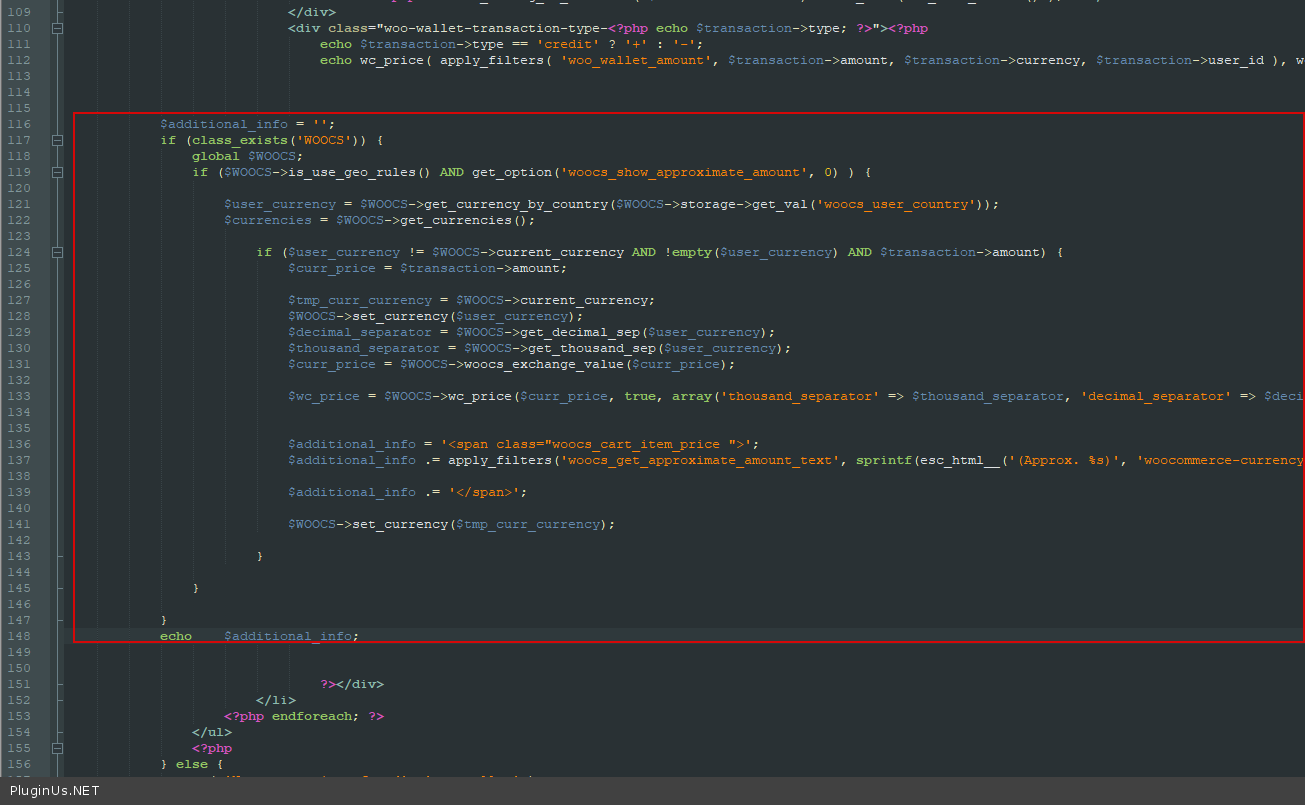
Fügen Sie in der Datei \wp-content\plugins\woo-wallet\templates\wc-endpoint-wallet.php den folgenden Code hinzu:
$additional_info = '';
if (class_exists('WOOCS')) {
    global $WOOCS;
    if ($WOOCS->is_use_geo_rules() AND get_option('woocs_show_approximate_amount', 0)) {

        $user_currency = $WOOCS->get_currency_by_country($WOOCS->storage->get_val('woocs_user_country'));
        $currencies = $WOOCS->get_currencies();

        if ($user_currency != $WOOCS->current_currency AND!empty($user_currency) AND $transaction->amount) {
            $curr_price = $transaction->amount;

            $tmp_curr_currency = $WOOCS->current_currency;
            $WOOCS->set_currency($user_currency);
            $decimal_separator = $WOOCS->get_decimal_sep($user_currency);
            $thousand_separator = $WOOCS->get_thousand_sep($user_currency);
            $curr_price = $WOOCS->woocs_exchange_value($curr_price);

            $wc_price = $WOOCS->wc_price($curr_price, true, array('thousand_separator' => $thousand_separator, 'decimal_separator' => $decimal_separator, 'decimals' => $WOOCS->get_currency_price_num_decimals($user_currency, $WOOCS->price_num_decimals)));

            $additional_info = '<span class = "woocs_cart_item_price">';
            $additional_info .= apply_filters('woocs_get_approximate_amount_text', sprintf(esc_html__('(Approx. %s)', 'woocommerce-currency-switcher'), $wc_price), $wc_price);

            $additional_info .= '</span>';

            $WOOCS->set_currency($tmp_curr_currency);
        }
    }
}
echo $additional_info;
← Table Rate Shipping plugin — Kompatibilitätscode für den FOX-Währungsumrechner
Themify – WooCommerce-Produktfilter →
🌸
Referenz zu Shortcodes, Funktionen, Actions und Filtern für FOX WooCommerce Currency Switcher
Codex — FOX Currency Switcher
Verstanden
Wir verwenden Cookies, um Ihnen das beste Erlebnis auf unserer Website zu bieten. Wenn Sie diese Website weiterhin nutzen, gehen wir davon aus, dass Sie damit einverstanden sind.