dans le fichier functions.php de votre thème wp actuel, ajoutez le code suivant :
add_filter('ywcnp_get_suggest_price', 'woocs_ywcnp_convert_price', 9999, 2);
add_filter('ywcnp_get_min_price', 'woocs_ywcnp_convert_price', 9999, 2);
add_filter('ywcnp_get_max_price', 'woocs_ywcnp_convert_price', 9999, 2);
add_filter('ywcnp_add_cart_item_data', 'woocs_ywcnp_add_cart_item_data', 9999, 2);

function woocs_ywcnp_add_cart_item_data($data, $prod) {
    $price = $data['ywcnp_amount'];
    if (class_exists('WOOCS')) {
        global $WOOCS;
        if ($WOOCS->current_currency != $WOOCS->default_currency) {
            $currencies = $WOOCS->get_currencies();
            $price = $price / $currencies[$WOOCS->current_currency]['rate'];
            $data['ywcnp_amount'] = $price;
        }
    }
    return $data;
}

function woocs_ywcnp_convert_price($price, $prod) {
    if (class_exists('WOOCS')) {
        global $WOOCS;
        if ($WOOCS->is_multiple_allowed) {
            $price = $WOOCS->woocs_exchange_value($price);
        }
    }return $price;
}
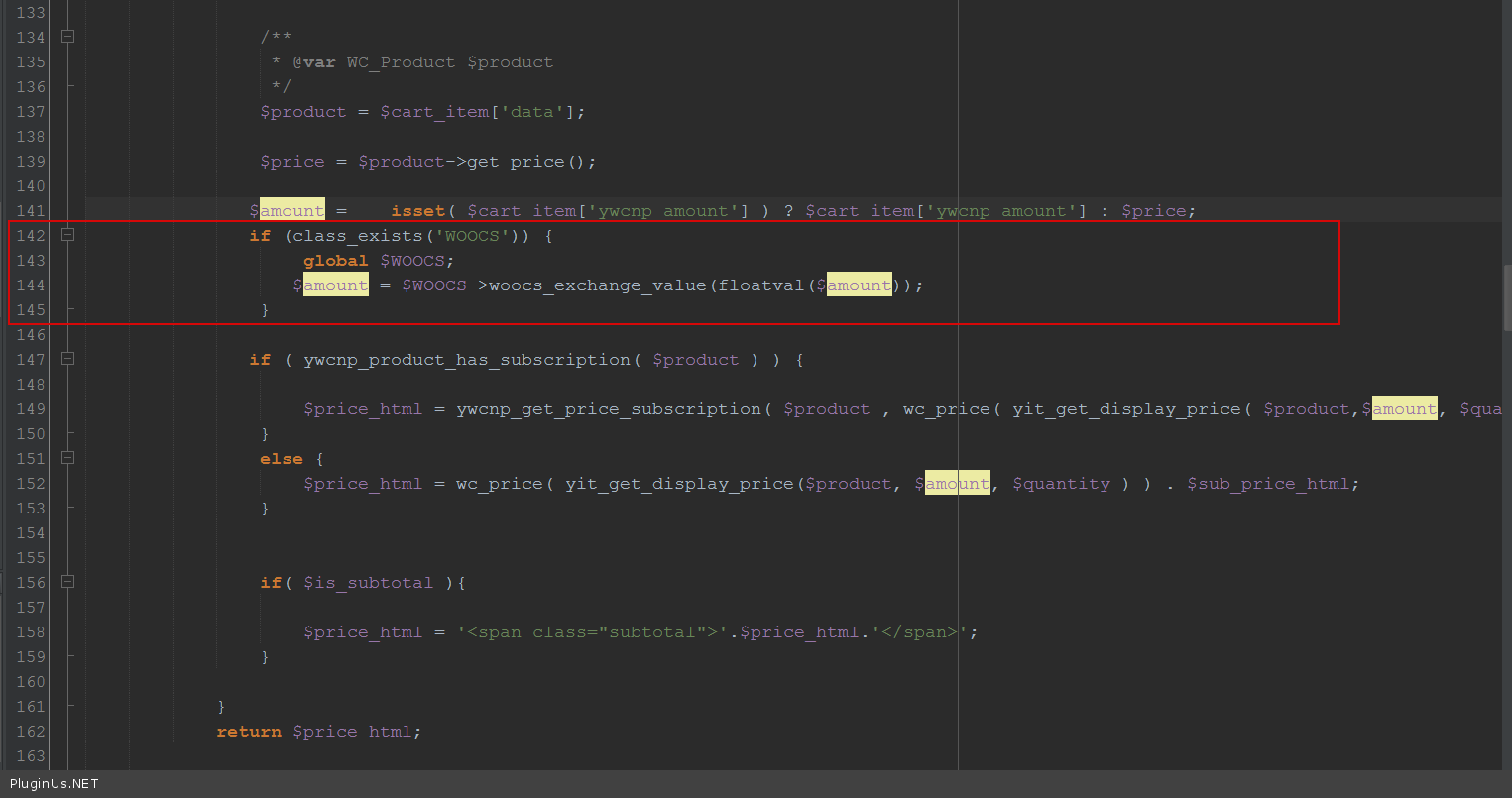
ajoutez également au même fichier functions.php le code suivant :
add_filter('ywcnp_amount_cart_html', function ($amount) {
    if (class_exists('WOOCS')) {
        global $WOOCS;
        $amount = $WOOCS->woocs_exchange_value(floatval($amount));
    }
    return $amount;
}, 9999, 1);
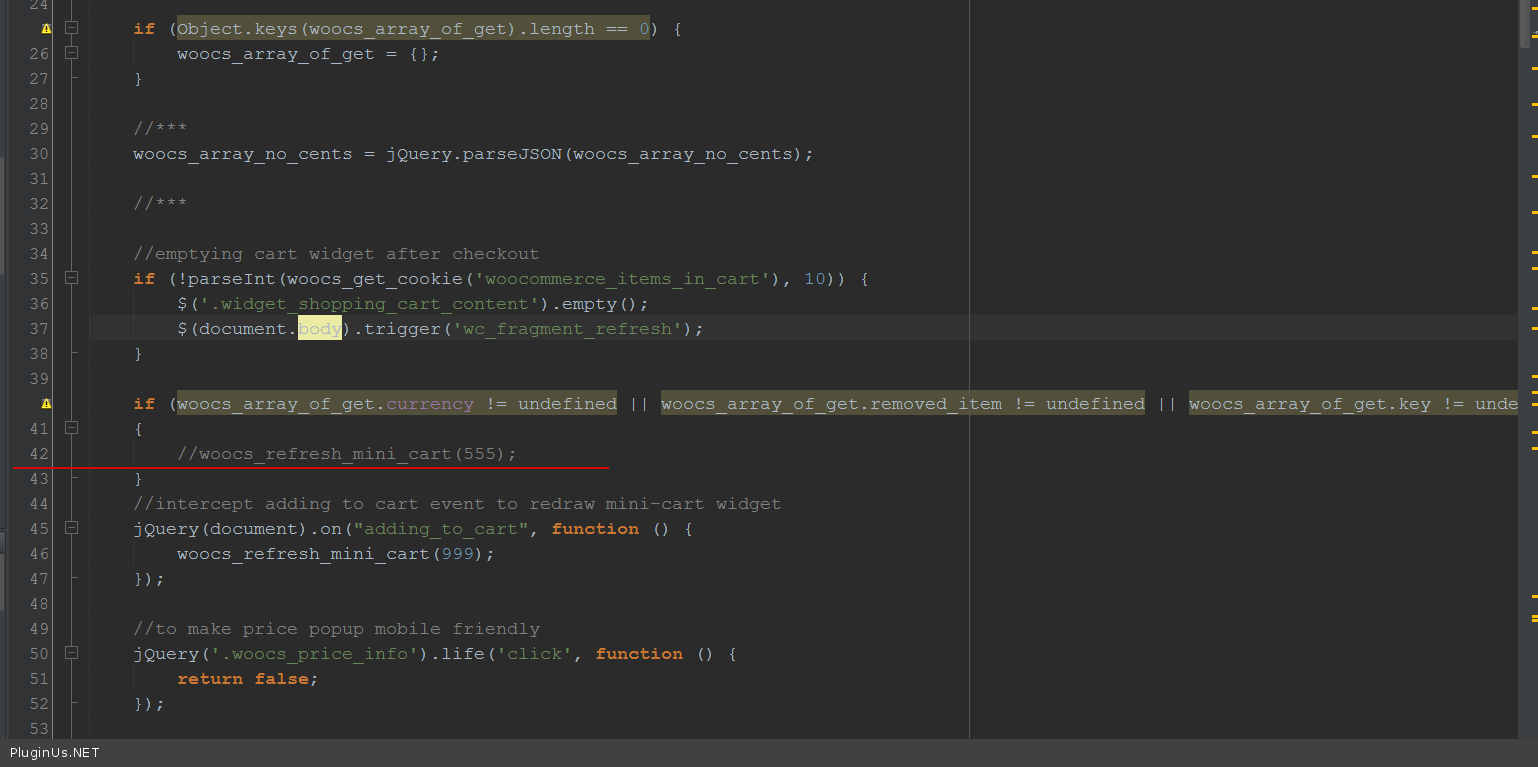
ouvrez le fichier \wp-content\plugins\woocommerce-currency-switcher\js\front.js et commentez-y la ligne de code comme sur l'écran :
🌸
Référence des shortcodes, fonctions, actions et filtres de FOX WooCommerce Currency Switcher
Codex — FOX Currency Switcher
Nous utilisons des cookies pour vous offrir la meilleure expérience possible sur notre site. Si vous continuez à utiliser ce site, nous considérerons que vous l'acceptez.