In der Datei functions.php Ihres aktuellen WP-Themes fügen Sie folgenden Code hinzu:
add_filter('ywcnp_get_suggest_price', 'woocs_ywcnp_convert_price', 9999, 2);
add_filter('ywcnp_get_min_price', 'woocs_ywcnp_convert_price', 9999, 2);
add_filter('ywcnp_get_max_price', 'woocs_ywcnp_convert_price', 9999, 2);
add_filter('ywcnp_add_cart_item_data', 'woocs_ywcnp_add_cart_item_data', 9999, 2);

function woocs_ywcnp_add_cart_item_data($data, $prod) {
    $price = $data['ywcnp_amount'];
    if (class_exists('WOOCS')) {
        global $WOOCS;
        if ($WOOCS->current_currency != $WOOCS->default_currency) {
            $currencies = $WOOCS->get_currencies();
            $price = $price / $currencies[$WOOCS->current_currency]['rate'];
            $data['ywcnp_amount'] = $price;
        }
    }
    return $data;
}

function woocs_ywcnp_convert_price($price, $prod) {
    if (class_exists('WOOCS')) {
        global $WOOCS;
        if ($WOOCS->is_multiple_allowed) {
            $price = $WOOCS->woocs_exchange_value($price);
        }
    }return $price;
}
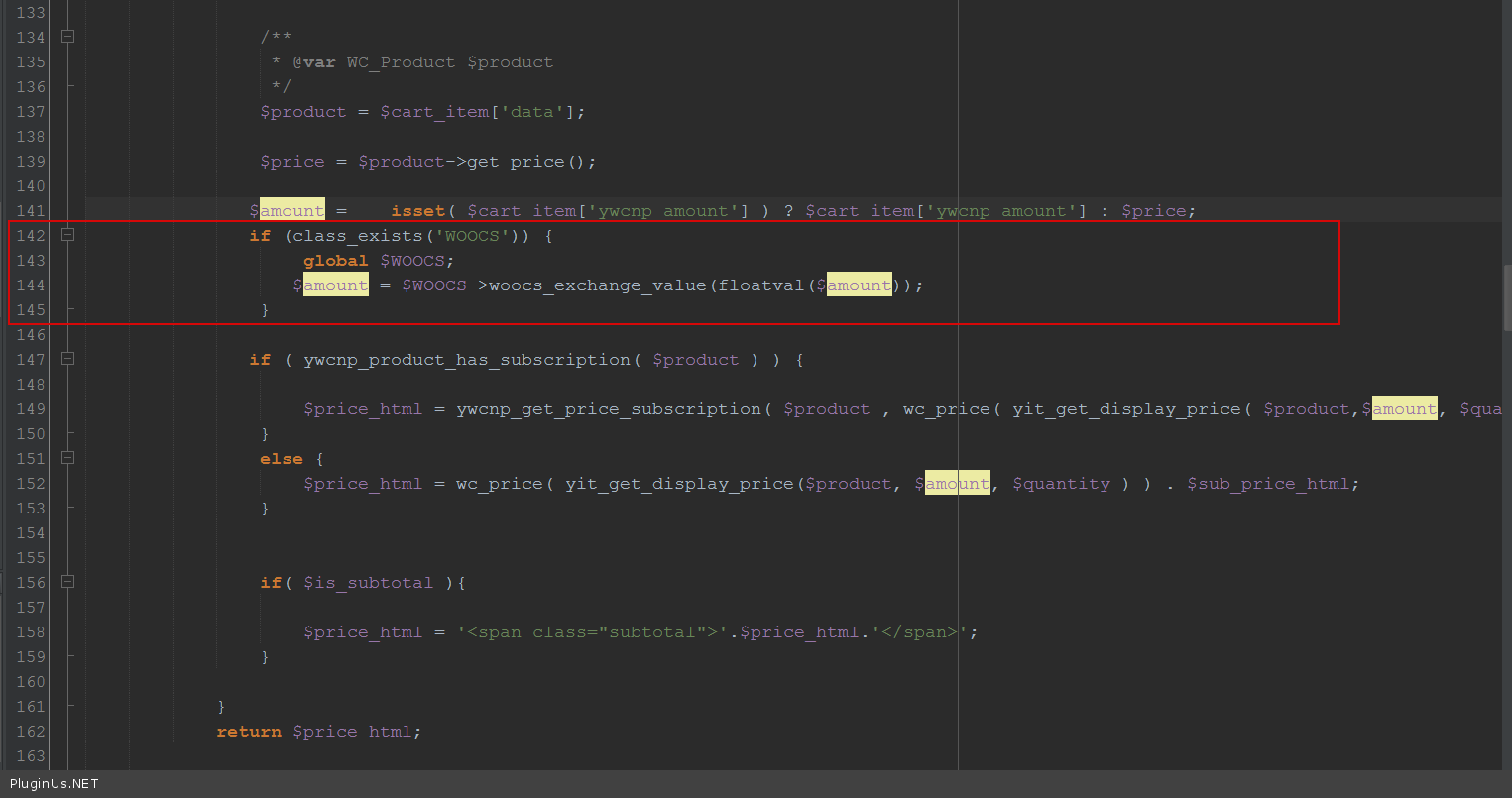
Fügen Sie ebenfalls in derselben Datei functions.php folgenden Code hinzu:
add_filter('ywcnp_amount_cart_html', function ($amount) {
    if (class_exists('WOOCS')) {
        global $WOOCS;
        $amount = $WOOCS->woocs_exchange_value(floatval($amount));
    }
    return $amount;
}, 9999, 1);
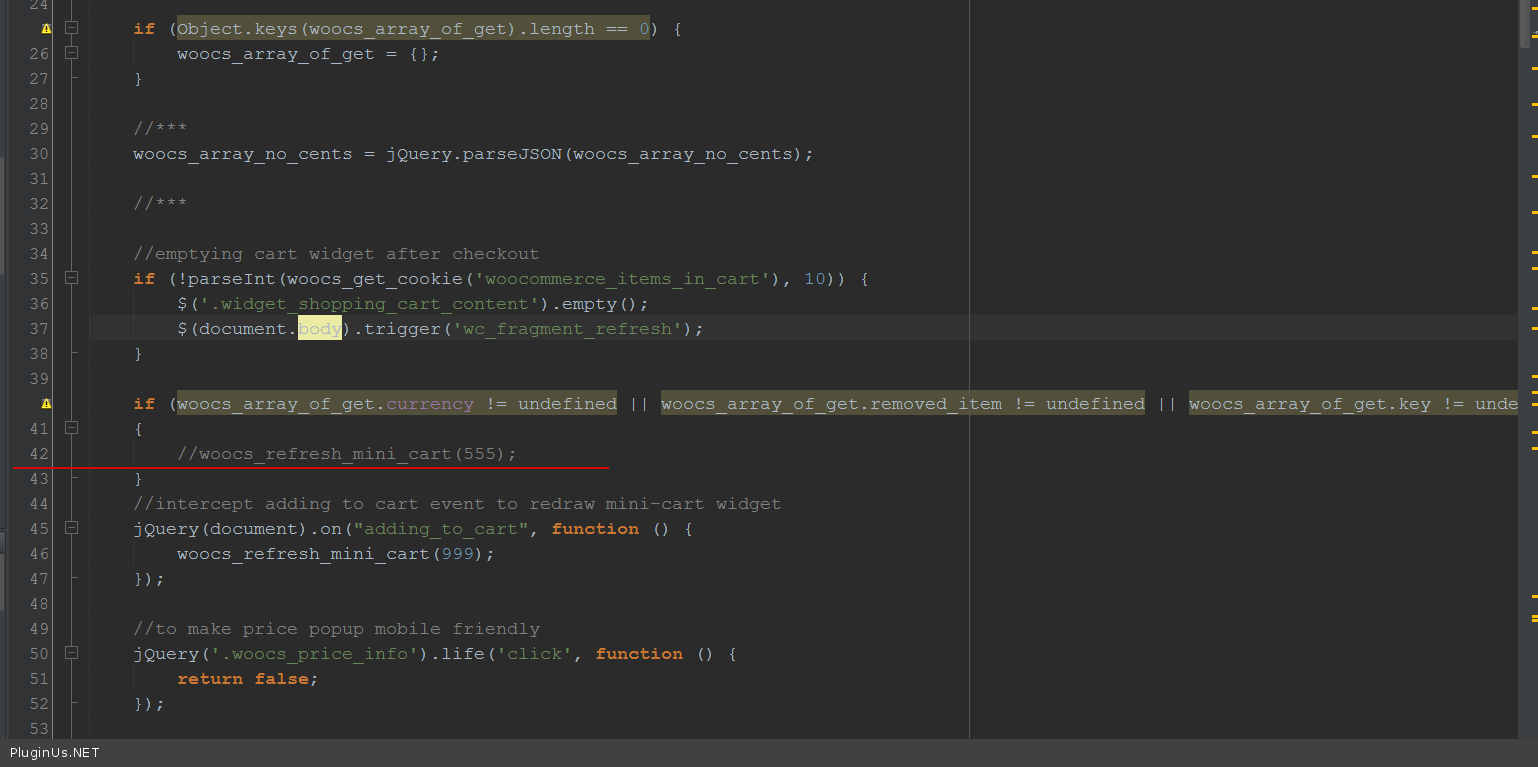
Öffnen Sie die Datei \wp-content\plugins\woocommerce-currency-switcher\js\front.js und kommentieren Sie dort die Codezeile aus, wie auf dem Bildschirm zu sehen:
🌸
Referenz zu Shortcodes, Funktionen, Actions und Filtern für FOX WooCommerce Currency Switcher
Codex — FOX Currency Switcher
Wir verwenden Cookies, um Ihnen das beste Erlebnis auf unserer Website zu bieten. Wenn Sie diese Website weiterhin nutzen, gehen wir davon aus, dass Sie damit einverstanden sind.