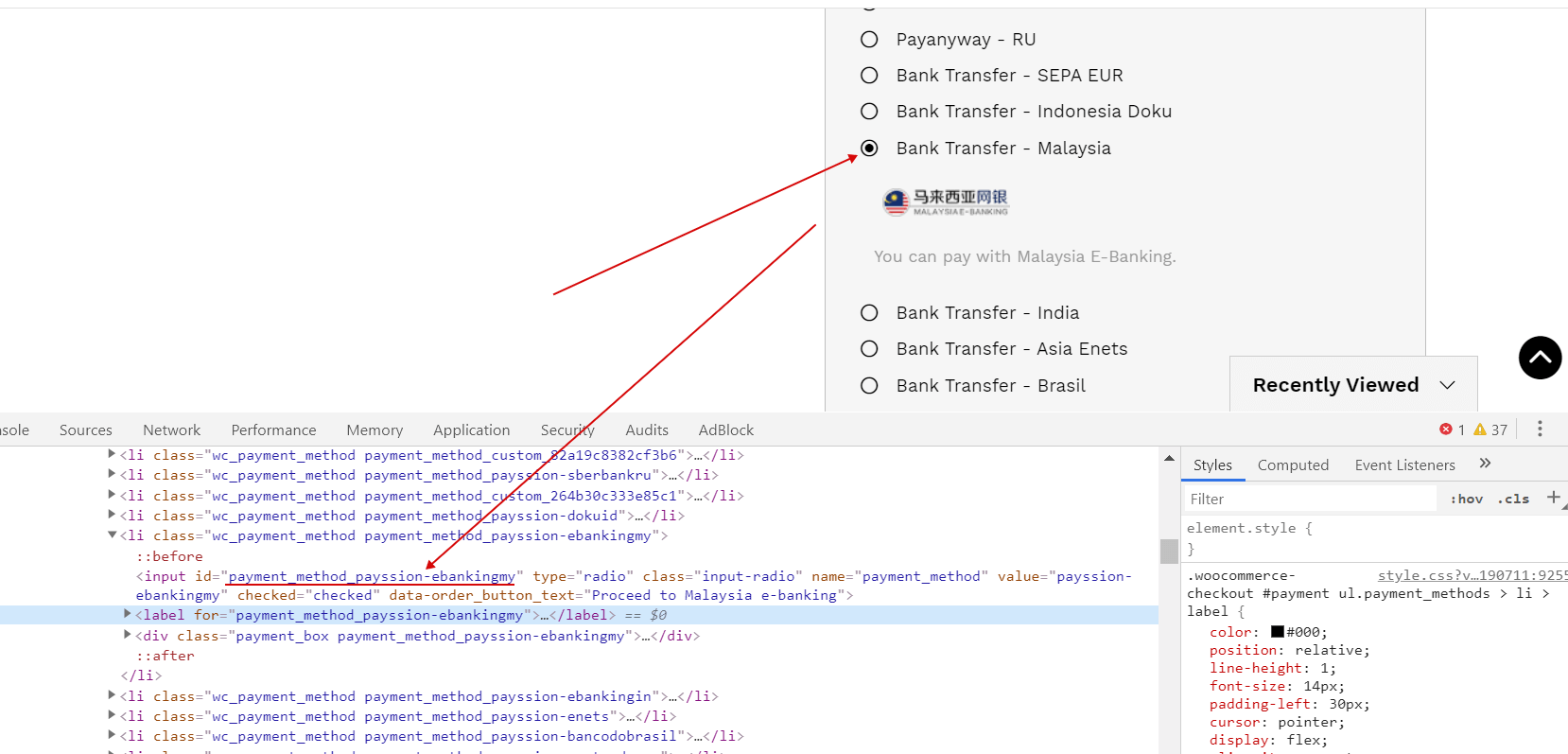
If you need to show to your customer any special info on the checkout page when they select method of paying you can use next custom script:
add_action('wp_footer', function() {
    if (is_checkout()) {
        ?>
        <script>
            jQuery(function ($) {
                $('<div class="your_css_class_here"></div>').insertAfter('.shop_table.woocommerce-checkout-review-order-table');
                woocs_init_payment_meth();
            });

            function woocs_init_payment_meth() {
                jQuery('ul.wc_payment_methods li input').on('click', function (e) {
                    jQuery('.your_css_class_here').hide();

                    switch (jQuery(this).attr('id')) {
                        case 'payment_method_bacs':
                            jQuery('.your_css_class_here').html('text 1 here');
                            jQuery('.your_css_class_here').show();
                            break;

                        case 'payment_method_cheque':
                            jQuery('.your_css_class_here').html('text 2 here');
                            jQuery('.your_css_class_here').show();
                            break;
                    }

                    setTimeout(woocs_init_payment_meth, 777);
                    return true;
                });
            }
        </script>
        <?php

    }
});
- Drop the script into file functions.php of your current wp theme
- Replace in the script CSS class 'your_css_class_here' to any other you need, create your own
- Write text for payments methods if it is fit to your site business logic
- To get anchors of the payment methods use browser chrome-> right mouse click on the radio-input -> press there 'view code' -> get there ID of the method and use it in the switch of the script above