Product Options and Price Calculation Formulas for WooCommerce – Uni CPO PREMIUM
- Fügen Sie in der Datei \wp-content\plugins\uni-
woo-custom-product-options- premium\includes\uni-cpo- functions.php den folgenden Code hinzu: if (class_exists('WOOCS')) { global $WOOCS; if ($WOOCS->is_multiple_allowed) { $price = $WOOCS->woocs_exchange_value(floatval($price)); } }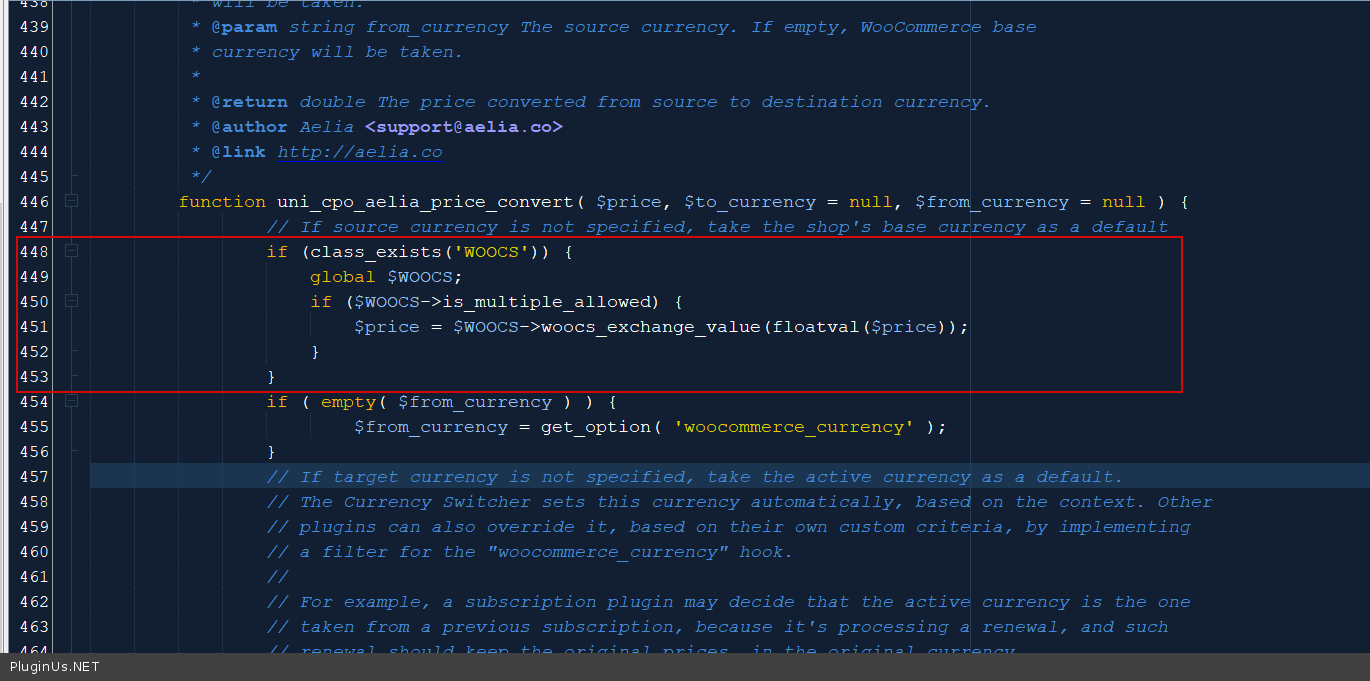
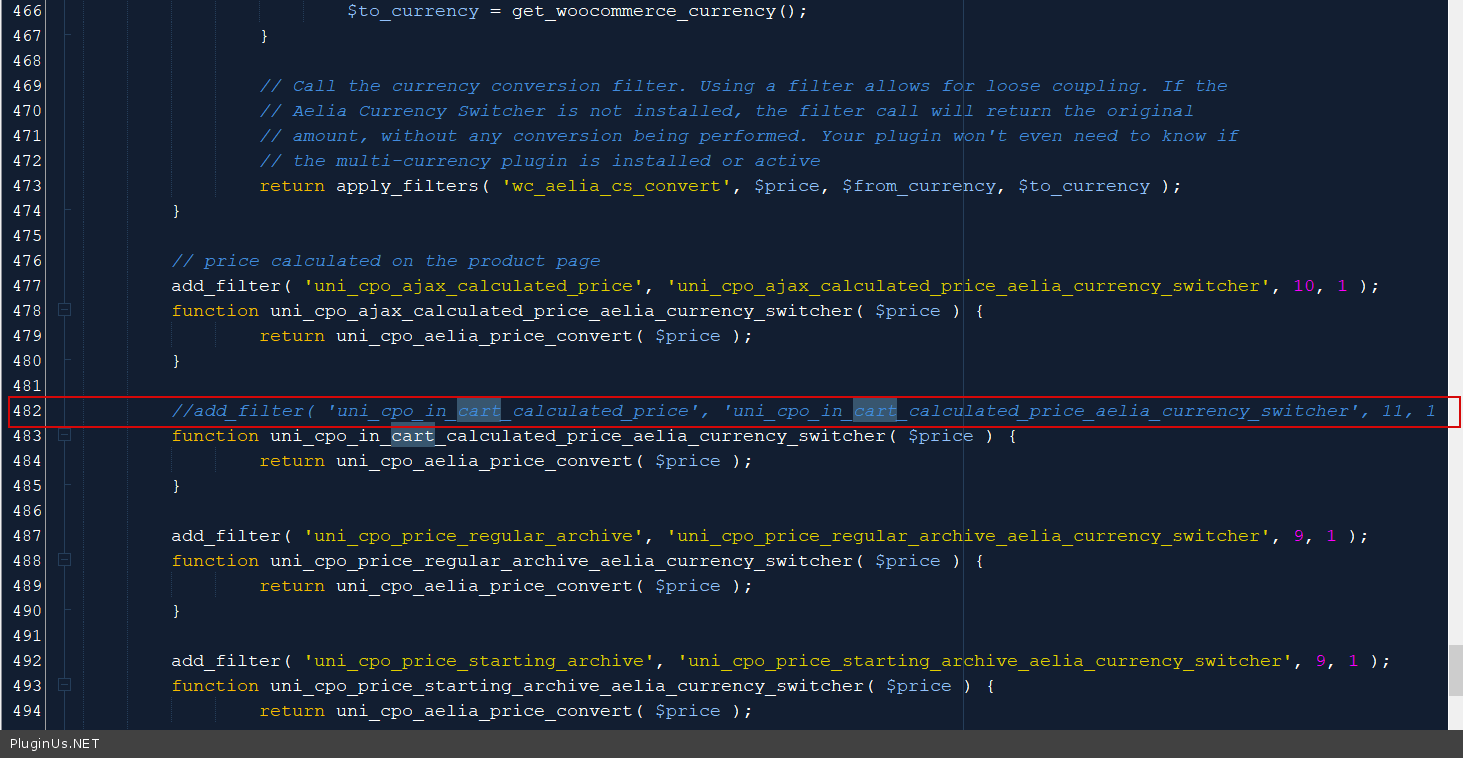
- UND kommentieren Sie den Code aus oder löschen Sie ihn:
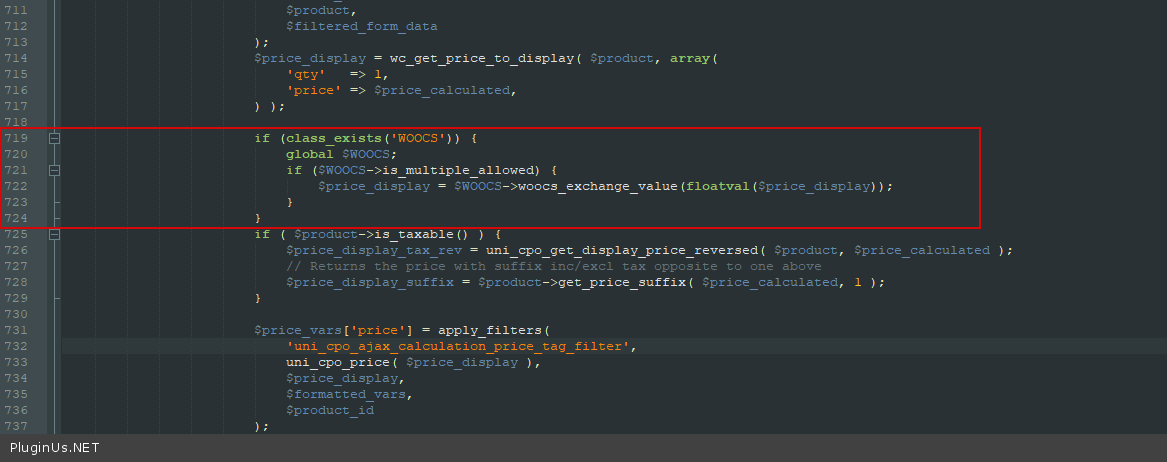
- Fügen Sie in der Datei includes\class-uni-cpo-ajax.php den folgenden Code hinzu:
if (class_exists('WOOCS')) {
    global $WOOCS;
    if ($WOOCS->is_multiple_allowed) {
        $price_display = $WOOCS->woocs_exchange_value(floatval($price_display));
    }
}
- Ändern Sie in der Datei wp-content\plugins\woocommerce-currency-switcher\js\front.js den folgenden Code:
if (data.ids[jQuery(item).data('product-id')] != undefined && !jQuery(item).find('.js-cpo-price-starting')).length) {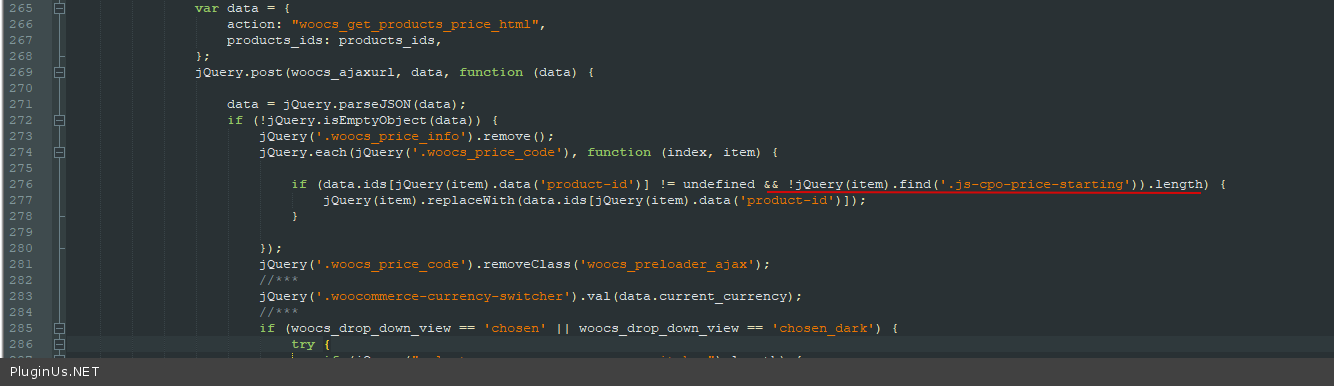
Ändern Sie den Selektor für Preise: .summary.entry-summary .price .woocs_price_code > .amount